Draft today. Live when you’re ready.
Title, category, capacity, cutoff, venue, instructor, CEU hours, and a hero image in one form. Save as a draft, preview the page, and publish when it’s right.
One platform for the whole event: a polished registration page, free or paid tickets, discount and comp codes, receipts with calendar invites, and a QR check-in desk your volunteers can run from their phones.
In production at the New Jersey Homicide Investigators Association
Conference · Oct 22, 2026 · 180 seats · 6.0 CEU hours
Oct 22, 2026 · Bayside Conference Center
Instructor: Dana Ruiz · 6.0 CEU hours
Registering as Taylor Brooks · Member #4471
A receipt, calendar invite, and QR badge follow your registration.
Registration REG-3318 · Taylor Brooks
Payment shown for illustration. No charge is made.
Oct 22, 2026 · 8:00 AM
Bayside Conference Center · Albany, NY
Your receipt and calendar invite are on the way.
 New Jersey Homicide
NJHIA has trained the investigators who work New Jersey’s homicide and violent crime cases since 1995. EventOS fully automated registration for their Annual Advanced Homicide Investigation Conference and the check‑in process on conference day, from payment and confirmation emails to QR scanning at the door.
See it live at njhia.org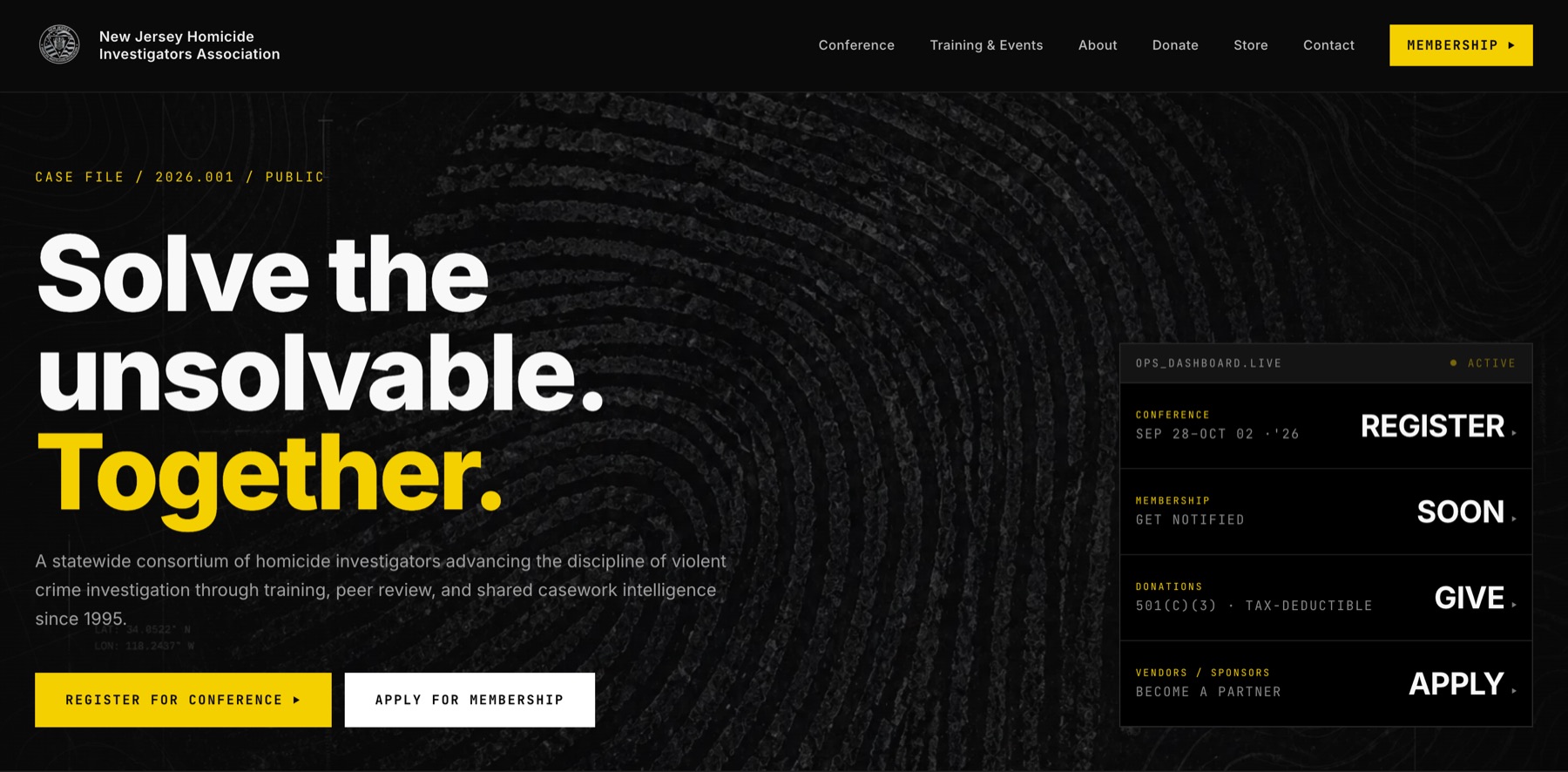
A connected system for everything between “Save the date” and “You’re checked in.”
Title, category, capacity, cutoff, venue, instructor, CEU hours, and a hero image in one form. Save as a draft, preview the page, and publish when it’s right.
Free events skip checkout entirely and confirm instantly. Paid events get member pricing, discount codes, and secure Stripe checkout.
Every attendee gets a printable QR badge. Door staff scan it with a phone camera. No scanners to rent and no separate check-in app.
Fill in the dates, venue, pricing, and capacity. Add an agenda, photos, and flyers. EventOS builds the polished event page for you, with no HTML and no designer required.
Upload the flyer, brochure, and agenda as PDFs. Attendees download them straight from the event page for reimbursement, with no email chain required.
Venue addresses link straight to Google Maps. Every confirmation includes a calendar invite.

A day of briefings, workshops, and networking for command staff.
Illustrative event page · fictional organization and venue
Galleries, specs, agendas, FAQs, and venue photos are sections you fill in, with drag-and-drop images and a markdown editor.
Open, closed, waitlist, invite-only, or past, computed from your dates, cutoff, and capacity. Override it when you need to.
Set member and non-member prices, or make an event members-only. The right price shows up for the right person.
Percent off, a fixed amount, or a full comp. Decide whether comp seats come out of public capacity or live in their own pool, so staff and speakers never take a seat from a paying attendee.
Example configuration only; no code is created. Codes are case-insensitive and can be scoped to one event or all events.
Stripe Connect direct charges make your organization the merchant of record: your account, your statement descriptor, your dashboard. Choose whether attendees cover card processing, per event or across the board.
Show the platform fee as its own line or bundle it into one price. Card surcharging rules vary by location and card network; confirm your settings fit where you operate.
Stripe is certified as a PCI Level 1 service provider. Your organization still has its own security and compliance responsibilities.
Read about Stripe payment securityWhen someone registers, cancels, donates, or joins, the right email goes out on its own with your organization’s name on it. Nobody on your team has to write it or remember to send it.
Also built in: monthly donation renewals, membership received and decline notices, “coming soon” notify lists, admin invites and sign-in links, and staff notifications.
Hi Taylor, you’re registered for the Fall Safety Leadership Conference on October 22 at Bayside Conference Center. Your receipt is below, and your QR badge will get you in at the door.
Sample email · fictional organization and recipients. Nothing is sent.
When someone calls in or shows up without registering, your staff can sign them up in a few clicks. Type part of their name to pull up their saved details, pick the event, add extras, and apply a discount code. EventOS works out the price and sends the receipt and check-in badge.
Returning attendees and upcoming events are already saved, so there’s nothing to retype.
Phone or walk-in registration · Sample organization
Find a saved attendee to fill their email and membership.
Sample records only · Try “Taylor”, “Priya”, “Fall”, or “Awards”.
Sample pricing. Nothing is sent or charged.
Every confirmation carries a QR badge. Door staff scan it with a phone and the attendee is checked in, once, no matter how many times it’s scanned. Print badges one at a time or in bulk before the doors open.

08:02 · Taylor Brooks scanned in at Door A.
08:05 · Priya Shah checked in · comp seat.
Demo only. Changes stay in this page until you reload.
Open, closed, waitlist, invite-only, or past, computed from your dates, registration cutoff, and capacity. Override it by hand whenever you need to.
Illustrative events · sample organization
Set the details, upload flyers and agendas, and preview the page before anyone sees it.
Preview the pageMember and non-member pricing live, codes active, and confirmations going out.
Watch seats fillRegistration closes at the cutoff. A full event moves to the waitlist on its own.
Waitlist readyAttendance, revenue, and check-ins stay with the event, ready to export.
Export to CSVServer-side search, filters, and pagination on every table. CSV exports that neutralize spreadsheet formulas. An append-only audit log of who refunded, cancelled, or declined what, when, why, and for how much.
The audit log is append-only: entries are added, never edited or removed from the console.
Events are the headline, but the same console runs the rest of your organization, with the same receipts, the same audit log, and the same Stripe account.
Talk about your organizationApplications arrive with dues authorized. Approve to create the member and send a welcome; decline to refund automatically, with your reason.
One-time and monthly gifts, preset or custom amounts, and 501(c)(3) receipts sent automatically, with a donation log and totals.
Variants and stock, shipping rates, local pickup, a free-shipping threshold, and a tracking number on every fulfilled order.
Membership has a master switch. Turn it off and the public site shows a “coming soon” page with a notify list.
Illustrative flow of the platform’s built-in modules. Email delivery depends on your configured sending domain.
Applicants authorize dues when they apply. The committee reviews. Approve, and the member account and welcome email are created for you. Decline, and the payment is refunded automatically, with your reason.
Dues are authorized at application, and duplicate applications are caught before they reach the queue.
Applications wait in a review queue with everything the committee needs to decide.
Approval creates the member and sends a welcome. A decline refunds automatically and explains why.
Annual dues are configurable. Every approval, decline, and refund is written to the audit log.
Welcome emails, refunds, and decline notices go out on their own, and duplicate applications never reach the queue.
EventOS runs real events today: comp seats for command staff, flyers attendees need for agency reimbursement, and a line at the door the morning of.
Admins are invited, not signed up, and sign in with a magic link. Door volunteers get a check-in-only role.
Every table pages, filters, and searches on the server, and exports to CSV when the board asks for numbers.
A built-in help guide walks your team through every screen. Real onboarding documentation, not a tooltip.
The places event teams usually lose time, or pay for yet another platform, and how EventOS handles each one.
Names highlighted by hand, or a check-in app priced as an add-on.
A badge for every attendee and phone-camera scanning, included.
Comp registrations quietly use up seats meant for paying attendees.
Comp codes can carry their own seat pool.
Attendees click through a payment flow for a $0 ticket.
Free events skip checkout and confirm instantly.
Flyers and agendas emailed one attendee at a time.
Flyers, brochures, and agendas download from the event page.
A separate store, donation tool, and membership system, each with its own login, fees, and payouts.
Your store, donations with tax receipts, and membership reviews in the same console and Stripe account.
“The usual way” describes common manual workflows and general-purpose tools, not any specific product.
The details your board, auditors, and attendees ask about, handled before anyone asks.
Row-level security on every table. Registrations and orders can’t have their financials rewritten after the fact.
Cloudflare Turnstile and rate limiting guard free and unauthenticated forms, so no-cost events don’t fill with spam.
Strict security headers, a security.txt, accessibility, privacy, and terms pages, and sponsor data-sharing consent recorded per registration.
EventOS brings registration, payments, discount codes, check-in, and receipts into one platform your team can run without a manual. Tell us about your events and we will walk you through it with your next one in mind.
See your next event built live: the event page, pricing, codes, checkout, and check-in.
We connect your Stripe account, configure your templates, and build your first event with you.
Associations, training providers, and nonprofits, with members, donors, and merch included.
Every request is reviewed by our team, and we follow up personally to schedule a walkthrough.
EventOS is an event management platform from Breakpoint Partners: event pages, registration, payments, discount and comp codes, QR check-in, and transactional email in one place, with membership, donations, and a merch store alongside.
Yes, from the same form. Free events skip payment entirely and confirm instantly. Paid events support member and non-member pricing, members-only events, and discount codes.
No scanners. Every attendee gets a QR badge, printable one at a time or in bulk. Door staff scan it with a phone camera, and the attendee is checked in. Scanning the same badge twice never creates a duplicate. Volunteers can have a check-in-only role with no access to financials.
You choose. A code can carve its seats out of public capacity or add its own pool on top, so comp seats for staff or speakers don’t take seats from paying attendees. Each redemption records the code’s terms at the time, so editing a code later never changes past seat counts.
Straight to your organization’s Stripe account. EventOS uses Stripe Connect direct charges, so you are the merchant of record, with your statement descriptor and your Stripe dashboard. You decide, per event or globally, whether attendees cover card processing.
Yes. Upload a flyer, brochure, agenda, or any other PDF to the event, and attendees can download them from the event page. Every confirmation also includes a calendar invite and a map link to the venue.
Row-level security on every table, database triggers that keep registration and order financials from being rewritten, bot protection and rate limiting on public forms, strict security headers, and an append-only audit log of refunds, cancellations, and declines. Card details are entered on Stripe-hosted checkout and never reach your servers.
Yes. We can connect your Stripe account, configure pricing and templates, build your first event with you, and connect EventOS to your existing website. Professional services are scoped separately.
Registration, payments, check-in, membership, and receipts in one platform your team can actually run.
Request a demo